HTMX in Drupal: benefits, hands-on, and the move to HTMX 4
· 10 min read

Since Drupal 7, server-driven interactivity has gone through Drupal’s Ajax API: #ajax on a form element, a callback that returns part of the form or an AjaxResponse full of commands (ReplaceCommand, InvokeCommand…), and custom JavaScript, historically built on jQuery, to run those commands in the browser.
It works, but it’s a Drupal-specific protocol, with its own vocabulary and its own JavaScript.
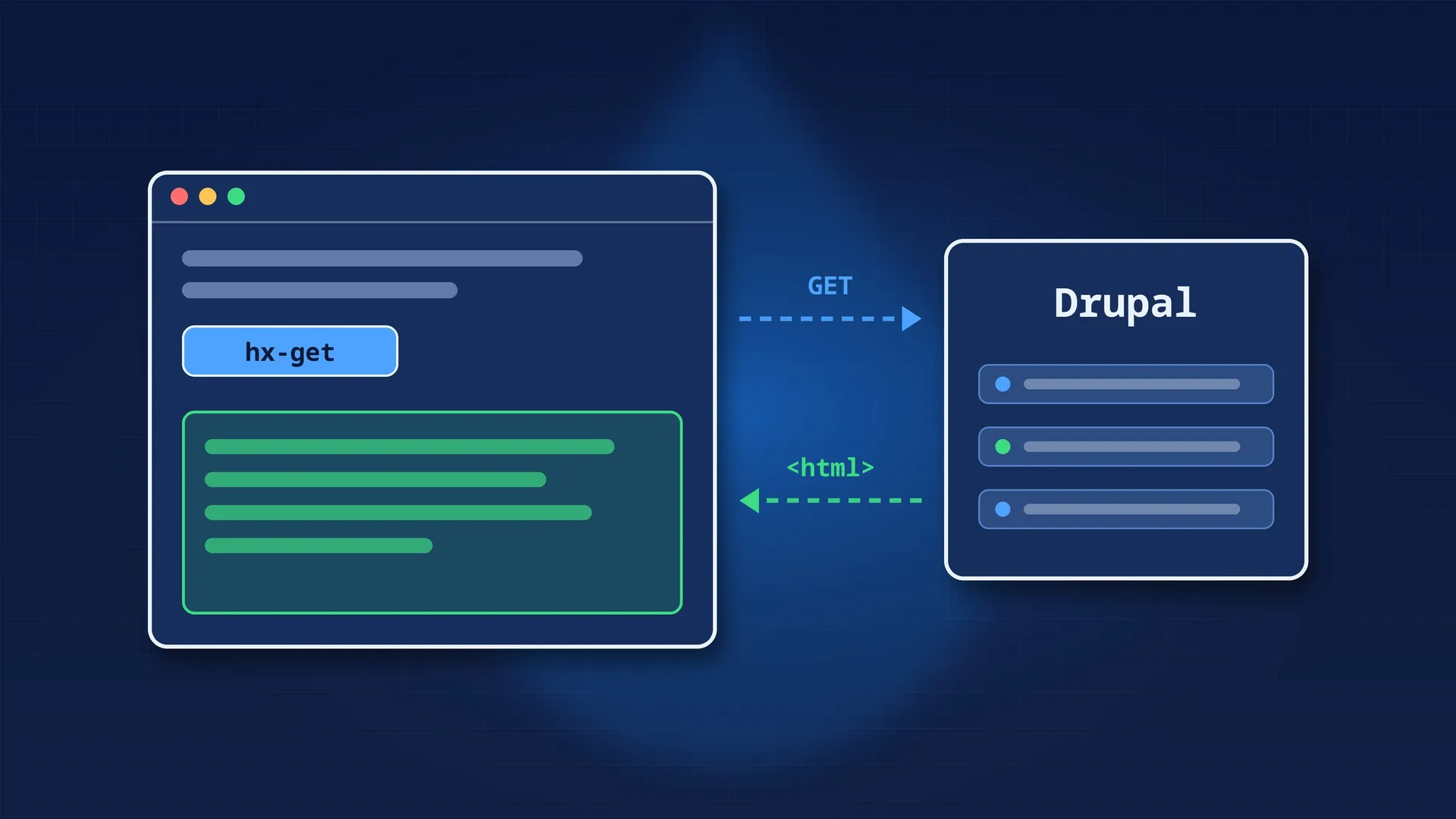
HTMX takes the opposite approach: the server returns HTML, and HTML attributes describe what to request, when, and where to put the response. No JSON, no commands, no JavaScript to write for the common cases.
HTMX entered Drupal core in 11.2, got its PHP API in 11.3, and Drupal 12 moves to HTMX 4. This article covers what it brings, how to use it today, and what breaks in Drupal 12.
<button hx-get="/contacts/1" hx-target="#contact" hx-swap="outerHTML">
  Show contact
</button>
<div id="contact"></div>
On click, HTMX sends GET /contacts/1, takes the returned HTML and replaces #contact with it. That’s the whole model: one request, one HTML fragment, one place to put it. HTMX also accepts the data-hx-get form, which is what Drupal generates.
| Version | What arrives |
|---|---|
| Drupal 11.2 | The HTMX library (2.0.4) enters core, with the JavaScript that loads the CSS and JS of returned fragments |
| Drupal 11.3 | The Drupal\Core\Htmx\Htmx PHP class, dynamic form support, “main content only” rendering, and BigPipe rewritten on HTMX |
| Drupal 11.5 | Still HTMX 2, but several Htmx methods are deprecated to prepare for HTMX 4 |
| Drupal 12.0 | HTMX 4.0.0, with breaking changes |
The most important line in that table may be BigPipe. In 11.2, its library depended on core/drupal.ajax. Since 11.3, it depends on core/htmx and core/drupal.htmx. In practice: on a site running 11.3 or later, HTMX is already loaded on every page that uses BigPipe, which means most pages seen by a logged-in user.
Less JavaScript. According to the official Drupal core blog, HTMX cuts the JavaScript loaded for these interactions by “up to 71%”, BigPipe included. It’s an “up to” figure, so a best case, but the direction is clear.
The server returns HTML rendered by Drupal. The fragment is a regular render array: theme, templates, cache, cache metadata. The Htmx class even collects the cacheability of the URLs you pass it and adds it to the render array in applyTo().
No more command classes. With the Ajax API, slightly specific behaviour often means a custom Ajax command, in PHP and in JavaScript. With HTMX, you describe the target and the swap strategy with attributes.
The URL can follow the state. HTMX can update the address bar (HX-Push-Url). In core’s configuration export form, picking a type and then a configuration name updates the URL: you can share it, reload the page, use the back button.
Behaviors keep working. Drupal fires an htmx:drupal:load event once the fragment is inserted and its CSS and JS are loaded, and calls Drupal.attachBehaviors() on it. When an element is removed, Drupal.detachBehaviors() is called. Your existing behaviors apply to HTMX-inserted content without any change.
Assets follow. As with the Ajax API, Drupal sends the state of the libraries already loaded (ajax_page_state) with each HTMX request, and the response only adds the missing CSS and JS.
| Piece | Role |
|---|---|
core/drupal.htmx |
The library: HTMX plus the Drupal integration (assets, behaviors). Htmx::applyTo() attaches it automatically |
Drupal\Core\Htmx\Htmx |
Builds the data-hx-* attributes and HX-* response headers on a render array |
onlyMainContent() |
Adds _wrapper_format=drupal_htmx to the request: Drupal returns only the main content and its assets, not the whole page |
Route option _htmx_route: TRUE |
Same thing for a whole route: its controller is always rendered by the HTMX renderer |
HtmxRequestInfoTrait |
Used by FormBase: isHtmxRequest(), getHtmxTriggerName(), getHtmxTarget()… |
FormBuilder |
Recognizes HTMX requests (HX-Request header), disables redirects and identifies the triggering element |
The HTMX renderer returns a minimal HTML document: a <head> with a <meta name="robots" content="noindex"> and the CSS and JS placeholders, then a <body> containing the messages and the main content.
The best example is in core: the single configuration export form (ConfigSingleExportForm, at /admin/config/development/configuration/single/export). Picking a configuration type reloads the list of names; picking a name shows the YAML. Here’s the HTMX part, simplified:
use Drupal\Core\Htmx\Htmx;
use Drupal\Core\Url;

$form_url = Url::fromRoute('config.export_single', [
  'config_type' => $config_type,
  'config_name' => $config_name,
]);

$form['config_type'] = [
  '#type' => 'select',
  '#title' => $this->t('Configuration type'),
  '#options' => $config_types,
  '#default_value' => $config_type,
];

// When the type changes: POST the form, then replace the
// wrapper of the "config_name" select with the one in the response.
(new Htmx())
  ->post($form_url)
  ->onlyMainContent()
  ->select('*:has(>select[name="config_name"])')
  ->target('*:has(>select[name="config_name"])')
  ->swap('outerHTML')
  ->applyTo($form['config_type']);

$default_type = $form_state->getValue('config_type', $config_type);
$form['config_name'] = [
  '#type' => 'select',
  '#title' => $this->t('Configuration name'),
  '#options' => $this->findConfiguration($default_type),
  '#empty_option' => $this->t('- Select -'),
];
Further down in buildForm(), the form checks which element triggered the request and adjusts the response:
$trigger = $this->getHtmxTriggerName();
if ($trigger === 'config_type') {
  // Also empty the export area, "out of band":
  // HTMX replaces it on top of the main target.
  (new Htmx())
    ->swapOob('outerHTML:[data-export-wrapper]')
    ->applyTo($form['export'], '#wrapper_attributes');

  // Update the URL in the address bar.
  (new Htmx())
    ->pushUrlHeader(Url::fromRoute('config.export_single', [
      'config_type' => $default_type,
      'config_name' => '',
    ]))
    ->applyTo($form);
}
What to take away from this example:
buildForm() builds both the full page and the HTMX response;select() picks what to take from the response, target() where to put it, swap() how;swapOob() updates another area of the page in the same response;getHtmxTriggerName() replaces the Ajax API’s #ajax + triggering_element to know what changed;_triggering_element_name), so for the FormBuilder the select triggered the request, just like with #ajax._htmx_routeSecond common case: loading more content without reloading the page. Declare a route whose response is always rendered by the HTMX renderer:
# my_module.routing.yml
my_module.latest:
  path: '/my-module/latest/{page}'
  defaults:
    _controller: '\Drupal\my_module\Controller\LatestController::page'
  requirements:
    _permission: 'access content'
    page: '\d+'
  options:
    _htmx_route: TRUE
The controller returns a regular render array: a page of articles and, if there are more, a new button:
namespace Drupal\my_module\Controller;

use Drupal\Core\Controller\ControllerBase;
use Drupal\Core\Htmx\Htmx;
use Drupal\Core\Url;

final class LatestController extends ControllerBase {

  private const PER_PAGE = 10;

  public function page(int $page): array {
    $storage = $this->entityTypeManager()->getStorage('node');
    $ids = $storage->getQuery()
      ->accessCheck(TRUE)
      ->condition('type', 'article')
      ->condition('status', 1)
      ->sort('created', 'DESC')
      // One extra item to know whether there is another page.
      ->range($page * self::PER_PAGE, self::PER_PAGE + 1)
      ->execute();

    $build = [
      '#type' => 'container',
      '#attributes' => ['class' => ['latest-chunk']],
      '#cache' => ['tags' => ['node_list']],
    ];
    $nodes = $storage->loadMultiple(array_slice($ids, 0, self::PER_PAGE));
    $build['items'] = $this->entityTypeManager()
      ->getViewBuilder('node')
      ->viewMultiple($nodes, 'teaser');

    if (count($ids) > self::PER_PAGE) {
      $build['more'] = self::moreButton($page + 1);
    }
    return $build;
  }

  public static function moreButton(int $page): array {
    $button = [
      '#type' => 'html_tag',
      '#tag' => 'button',
      '#value' => t('More articles'),
      '#attributes' => ['type' => 'button'],
    ];
    // On click: GET the next page, and the button is replaced by the
    // returned .latest-chunk (articles + a new button).
    (new Htmx())
      ->get(Url::fromRoute('my_module.latest', ['page' => $page]))
      ->select('.latest-chunk')
      ->target('this')
      ->swap('outerHTML')
      ->applyTo($button);
    return $button;
  }

}
On the page that shows the first batch of articles (a block, another controller), just add LatestController::moreButton(1) to the render array.
Two notes:
_htmx_route, it always returns the minimal response, even when opened directly in the browser. It’s a fragment route, not a page. The response carries a noindex, but don’t turn it into a visible link;node_list tag invalidates the fragment whenever an article changes (see Cache API).#ajax?Ajax API (#ajax) |
HTMX | |
|---|---|---|
| Response format | JSON commands | HTML |
| Where the logic lives | Callback + commands, sometimes JS | Attributes on the render array |
| JavaScript | Drupal’s Ajax API | HTMX (already loaded with BigPipe in 11.3+) |
| Forms | Callback returning part of the form | The same buildForm(), with getHtmxTriggerName() |
| Updating the URL | By hand | pushUrlHeader(), replaceUrlHeader() |
| Contrib ecosystem | Everywhere | Still young |
| Status | Maintained | The direction core has chosen |
The Ajax API isn’t going away. Core’s planning issue (#3404409) plans to maintain both until contrib and custom modules have had time to migrate, potentially across several major versions.
My recommendation: for new code, go with HTMX as soon as the site is on 11.3 or later. Don’t rewrite existing code just on principle: a working #ajax can wait, especially with the HTMX 4 breaking changes coming.
This is the part to read if you’re writing HTMX code today. HTMX 4 is a full rewrite, and Drupal’s change record (HTMX now uses version 4) lists the impact.
disable() changes meaningIn Drupal 11, Htmx::disable() adds hx-disable: “HTMX doesn’t process this element”. In Drupal 12, that function is called ignore() (hx-ignore), and disable() still exists but does something else: disable(string $descriptor) disables elements during the request (what disabledElt() used to do).
The change record says to apply the replacements in this order:
disable() with ignore();disabledElt() with disable().In the opposite order, your disabledElt() calls become disable(), then ignore(). The code doesn’t crash; it just does something else.
Between Drupal 11.3 and 12.0, these Htmx methods disappear: disabledElt(), disinherit(), inherit(), ext(), history(), params(), prompt(), request(), triggerAfterSettleHeader() and triggerAfterSwapHeader(). They’re marked deprecated in 11.5, so PHPStan with deprecation rules will flag them.
The main replacements:
request() becomes config() (hx-config);triggerAfterSwapHeader() and triggerAfterSettleHeader(): use triggerHeader() or JavaScript event listeners;params(): a listener on the htmx:config:request event;prompt(): confirm() with a js: prefix;inherit() and disinherit(): no longer needed, see below.New methods arrive: query(), action(), method(), status(), morphSkip(), morphSkipChildren().
In HTMX 2, an attribute like hx-target on a parent applied implicitly to its children. In HTMX 4, you have to ask for it with the :inherited modifier. Drupal 12’s Htmx class exposes constants for that, as the last argument of most methods:
// Drupal 12: the target is inherited by children.
(new Htmx())
  ->target('#results', Htmx::INHERITED)
  ->applyTo($form['filters']);
If you relied on implicit inheritance, your children will have no target in Drupal 12.
HTMX 4 swaps every HTTP response except 204 and 304. A 422 or 500 error will therefore be displayed in the target. Take care of your error responses’ HTML, or use status() (hx-status) to decide the behaviour per HTTP code.
HX-Trigger request header is replaced by HX-Source (getHtmxSource() method), and HX-Prompt goes away along with getHtmxPrompt();htmx:config:request): any custom JavaScript listening to HTMX events needs reviewing;FormBuilderInterface::HTMX_REQUEST constant is deprecated.For a module that has to run on both versions, the change record recommends DeprecationHelper:
use Drupal\Component\Utility\DeprecationHelper;

$htmx = new Htmx();
DeprecationHelper::backwardsCompatibleCall(
  \Drupal::VERSION,
  '12.0.0',
  fn () => $htmx->ignore(),   // Drupal 12+
  fn () => $htmx->disable(),  // Drupal 11
);
$htmx->applyTo($element);#ajax, and Drupal-specific HTMX documentation and examples are still scarce._htmx_route route is a fragment route. It shouldn’t be used as a page.Htmx class doesn’t exist).#ajax is only migrated when there’s a reason.onlyMainContent() or _htmx_route is used so you don’t return a whole page.disable() → ignore() then disabledElt() → disable(), inheritance made explicit with Htmx::INHERITED, JavaScript event listeners renamed, error responses checked.HTMX is probably the biggest change to interactivity in Drupal since the Ajax API arrived. It won’t replace #ajax overnight, but for new code it’s already the simplest path, as long as you keep Drupal 12 in mind.